
ReDo
Date: 2019
Role: UX-student


Case
This project was a group assignment and the theme was "The Future". We were allowed to come up with a concept, near future or a 100 years from now.
Funny enough, the group were all interested about the environment and we wanted to create something that could nudge people not to throw trash everywhere and nudge them to ReDo small initiative in their daily life, to a more greener behavior.
The Solution
Our idea was to create an app for an organization focused on keeping the environment clean and protects it. This organization (Danmarks Naturfredningsforening) collects trash across Denmark every year. We wanted to take that initiative and turn it into a daily activity.
Name & Logo
The name of the app came to be "ReDo", because we wanted the app to redo people choices.
The logo, it the name with the logo (the butterfly) of the organization.
The Nudging
We all know that being greener and do good for the environment ain't an easy task for people born in later generations. So how can we nudge that target audience to ReDo their choices? In a world like ours, most people aren't willing enough to protect the environment and do the extra work without being pay in some way form. So sadly enough, the app had to give something in return, for their "good" work. The idea was, that the app gives the users tasks to perform, and when completed, the user would be rewarded.
The futuristic aspect of this projects, was the tracking way of cleaning up trash. The idea was, that every trashcan placed around Denmark, was equipped with a QR-code. The trashcan could then measure how much trash people were throwing out, if scanned with the ReDo app.
Mockups of The App
.png)
.png)
.png)
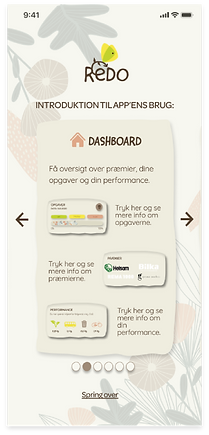
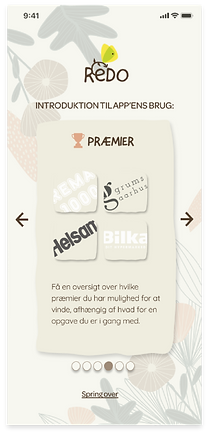
The idea was, when the app was downloaded, and it was opened for the first time, and introduction to the app would appear. The user could always skip this step if wanted to.
.png)
.png)
.png)
All the images can be view better by clicking on them.
.png)
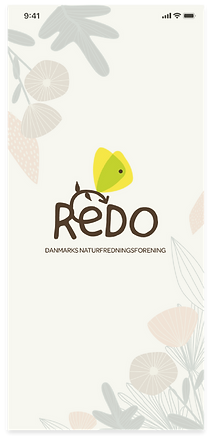
Loading screen.
.png)
Login site.
.png)
Afterwards comes a loading screen, then login site and finally into the app, where the dashboard is.
Dashboard.
.png)
Locked user profile.
.png)
Unlocked user profile.
Here is the user's profile. Where a task is logged and when it unlocks.

The specific task, in case it's collecting trash. Here you'll see a task description, how to do the task, the process of the task and what reward the user is getting for completing the task.
And to the right, is the QR-scanner.
.png)
QR-scanner.
Task description.
.png)
The user can always track how much they have reduced their CO2, under "Performance".
Performance.
.png)
Rewards.
.png)
And lastly an overview of the rewards, what the reward is all about, and the process of how long the user is in the task to get the reward.
When the task is complete, the user will get a notification, and get the reward. In this case it is a barcode which gives access to 15% discount on organic fruit and vegetables in REMA 1000.
Barcode.